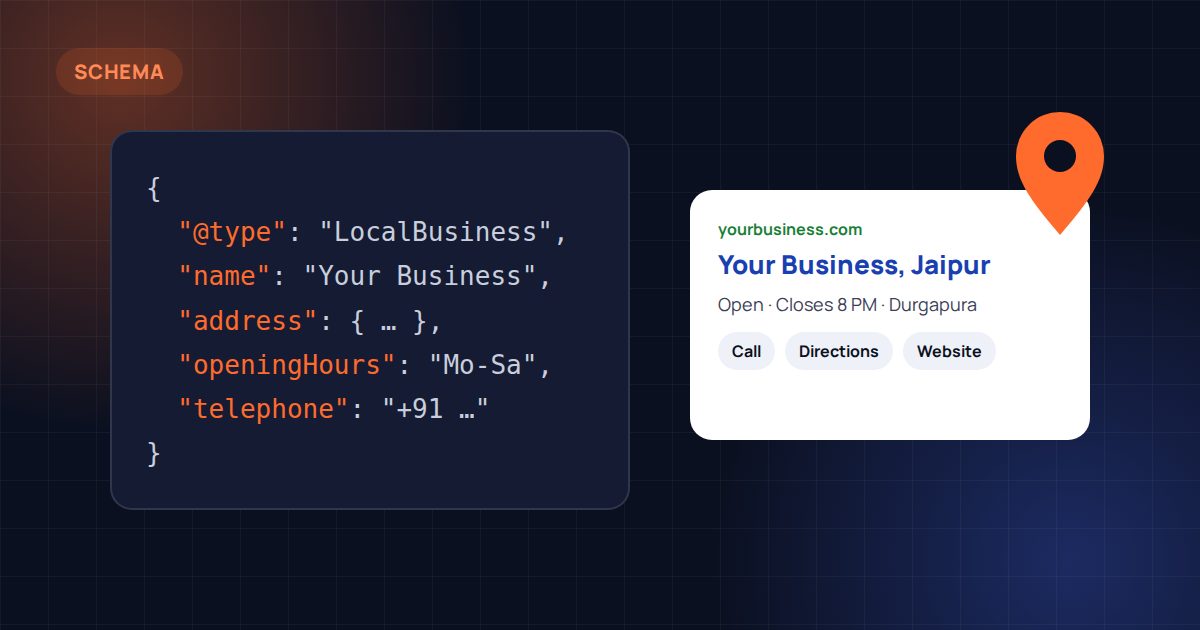
Search engines read your website, but they don’t always understand it. They have to work out whether a number is a phone number or a price, whether a page describes a service or a product, and whether the address in your footer is where customers can actually visit you.
Structured data removes the guesswork. It is a small block of code, usually written in a format called JSON-LD, that describes the key facts on a page in a way machines can read directly. For local businesses, a handful of structured data types do most of the work.
Why structured data matters now
Structured data has long helped Google show richer search results, such as breadcrumbs or FAQ answers. It has become more important as AI tools like Google’s AI Overviews and ChatGPT answer questions directly. These tools need clear, consistent facts about businesses, and structured data is one of the cleanest ways to provide them. It’s a core part of AI search optimisation.
It is not a magic ranking boost. Think of it as making sure search engines get your details right, and making your listing eligible for extra features when Google chooses to show them.
1. LocalBusiness (or a more specific type)
This is the most important schema for any business that serves customers in a place. It describes:
- Your business name, exactly as customers know it.
- Your full address, including PIN code.
- Your phone number and email.
- Opening hours.
- Your website, logo and social profiles.
Use the most specific type that fits. A hotel should use Hotel, a restaurant Restaurant, a jewellery shop JewelryStore. Agencies and consultants often use ProfessionalService. The more specific the type, the clearer the signal.
The golden rule: your name, address and phone number in schema must match your Google Business Profile and the details shown on your website, word for word. Different spellings of the same address across the web confuse search engines.
2. Organization and WebSite
Organization describes your business as a brand: its name, logo, founding year and official social profiles. WebSite describes the site itself. Together, they help Google connect your website, your brand name and your profiles into one entity.
On most sites, these sit on every page and are linked to the LocalBusiness data, so everything points to the same business.
3. Service
If you offer services, each service page can describe what it is, who provides it and where it’s available. This helps search engines understand the full range of what you do, not just your homepage.
Link each Service back to your organisation, so there’s no doubt about who offers it.
4. FAQPage
If a page has a genuine questions-and-answers section, FAQPage schema marks up each question and answer. Google limits where it shows FAQ rich results, but the markup still helps search engines and AI tools understand the answers you give.
Only mark up questions and answers that are actually visible on the page. Hidden FAQs written just for search engines break Google’s guidelines.
5. BreadcrumbList
Breadcrumbs show where a page sits in your site, for example Home › Services › SEO. BreadcrumbList schema lets Google show that path in search results instead of a long URL, which looks cleaner and helps people understand the page before they click.
6. Product and Offer (for stores and catalogues)
If you sell products online or show a catalogue, Product schema describes each item: name, images, description, price, currency and availability. It can make products eligible for richer results and Google Shopping features. Jewellers and exporters with large catalogues often benefit most, especially alongside a well-built online store.
If you don’t show prices, you can still describe products without an Offer. Never add prices to schema that aren’t shown on the page.
7. Review data, used honestly
Reviews and ratings in schema are tempting, but Google is strict. You generally can’t mark up reviews about your own business on your own website to get stars in search results. Reviews belong on your Google Business Profile, where customers leave them directly. Misused review schema can lead to warnings or lost rich results.
Common mistakes to avoid
- Duplicate data from several plugins describing the same business in different ways.
- Details that don’t match the visible page or your Google Business Profile.
- Wrong business types, such as a hotel marked up as a generic LocalBusiness.
- Marking up hidden content, or information that isn’t on the page.
- Never testing. Always check your pages with Google’s Rich Results Test and the Schema.org validator after changes.
Where to start
If you do only one thing, add accurate LocalBusiness schema that matches your Google Business Profile exactly. Then add Organization, WebSite and BreadcrumbList site-wide, and Service or Product data on the relevant pages.
Structured data has been a speciality of ours for years. If you’d like your site checked or set up properly, see our schema markup service, or combine it with local SEO for a stronger presence on Google Maps.